
Account Pre-Setup Guide
I Login With 3rd-Party Services
Section titled “I Login With 3rd-Party Services”“3rd-party services” refer to Google, Apple, Facebook, X, etc.
First, go to HoYoverse Account Center.
Click “Log In” and choose the third-party provider you use to login to your game.
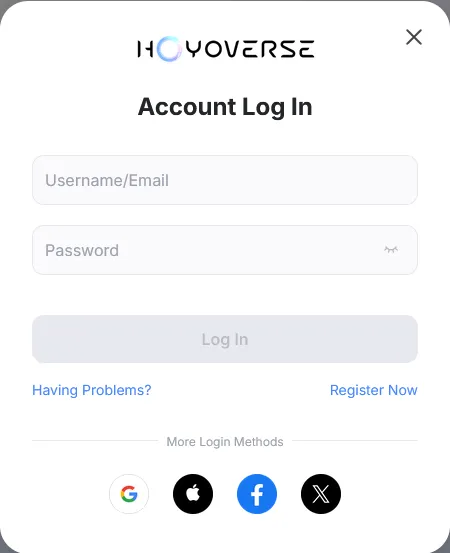
After logging in, the following can happen:
Link a New Account
Section titled “Link a New Account”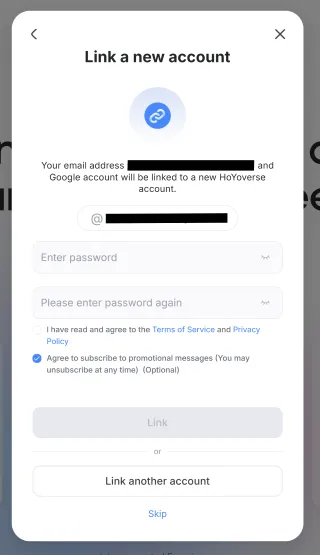
This means that the email you used to login is not linked to any Hoyoverse account. Enter a desired password and click “Link”, this will create a new Hoyoverse account and bind it to the third-party login you used.
You can then use this email and password to login to Hoyo Buddy.
Link Email
Section titled “Link Email”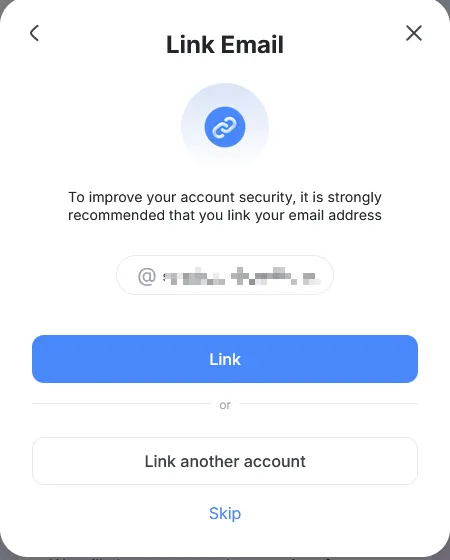
This means that a Hoyoverse account was created automatically when you logged in with the third-party provider. Click “Link”.
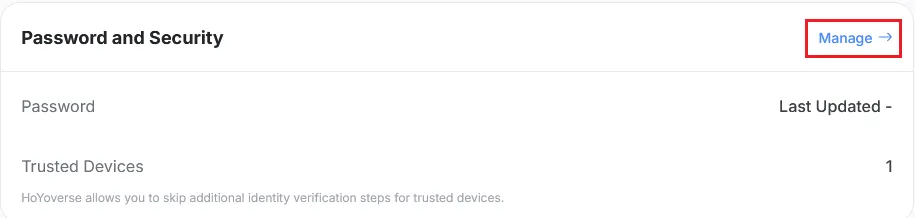
On the next screen, click “Manage” in the “Password and Security” section.

Click on “Update” and follow the instructions to set a password for your account.
You can then use this email and password to login to Hoyo Buddy.
Link to an Existing Account
Section titled “Link to an Existing Account”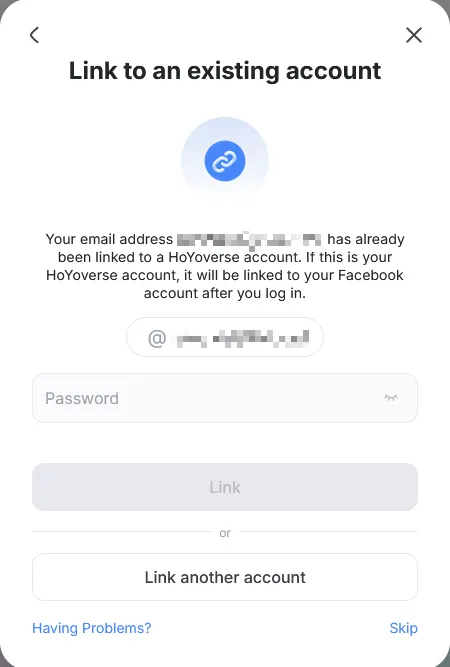
This means a Hoyoverse account with the same email already exists. Enter the password of this Hoyoverse account and click “Link” to bind the third-party login to the existing account. If you forgot the password, click “Having problems?” -> “Forgot Password?” to reset it.
You can then use this email and password to login to Hoyo Buddy.
Password Last Updated Date is “-” or “1/1/1”
Section titled “Password Last Updated Date is “-” or “1/1/1””
Follow the same steps as Link Email to set a password for your account.
Account Created Using Steam or PlayStation
Section titled “Account Created Using Steam or PlayStation”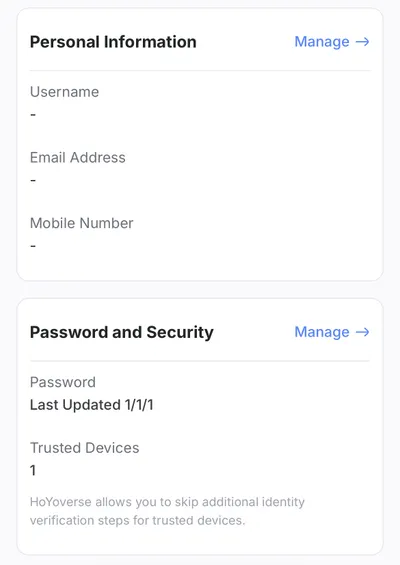
Follow the same step as Link Email. You will have to click manage on each section to add an email and password.
Other Scenarios
Section titled “Other Scenarios”If you encounter scenarios not listed above, please find help in the Discord server.
I am a Console Player
Section titled “I am a Console Player”How to Access the User Center
Section titled “How to Access the User Center”-
Genshin Impact: Paimon Menu -> Settings -> Account -> User Center
-
Honkai: Star Rail:
-
Login Screen: Settings -> Account -> User Center (Recommended if you don’t want to download the entire game)
-
In-Game: Phone -> Account Settings -> User Center
-
-
Zenless Zone Zero: Menu -> Options -> Account -> USER CENTER
How to Link Your Hoyoverse Account
Section titled “How to Link Your Hoyoverse Account”This method will create a new HoYoverse account and link the current saved data on your console to that new account. Linking to an existing Hoyoverse account is not possible.
- Launch the Hoyoverse game that you want to link to your Hoyoverse account.
- Open the User Center in the game.
- Select “Link Account” or a similar option.
- Follow the on-screen instructions to link your Hoyoverse account.